

There are many decisions to be made when it comes to deploying an access control system for your business. You'll need to decide which entry points to secure, how to secure them, how to integrate with security systems, how to determine access permissions, and how to manage everything.
Certain technologies come into play when deciding how to secure your entry points. RFID (Radio Frequency Identification) and NFC (Near Field Communication) are commonly used in access control systems to authenticate and grant or restrict access to individuals. While they both rely on wireless communication, there are some key differences between them.
With more businesses moving toward smartphone-based access and mobile credentials, understanding how these two technologies compare (and how they fit into modern access control) has become more important than ever.
What is RFID access control #
RFID stands for Radio Frequency Identification. RFID technology uses electromagnetic waves to capture and read transmitted data. An RFID system consists of RFID readers and RFID tags or cards.
- RFID tags/cards: These can be in the form of key fobs, cards, or even implanted microchips.
- RFID readers: These devices emit radio waves to communicate with the tags/cards. They can be fixed at entry points or integrated into handheld devices.
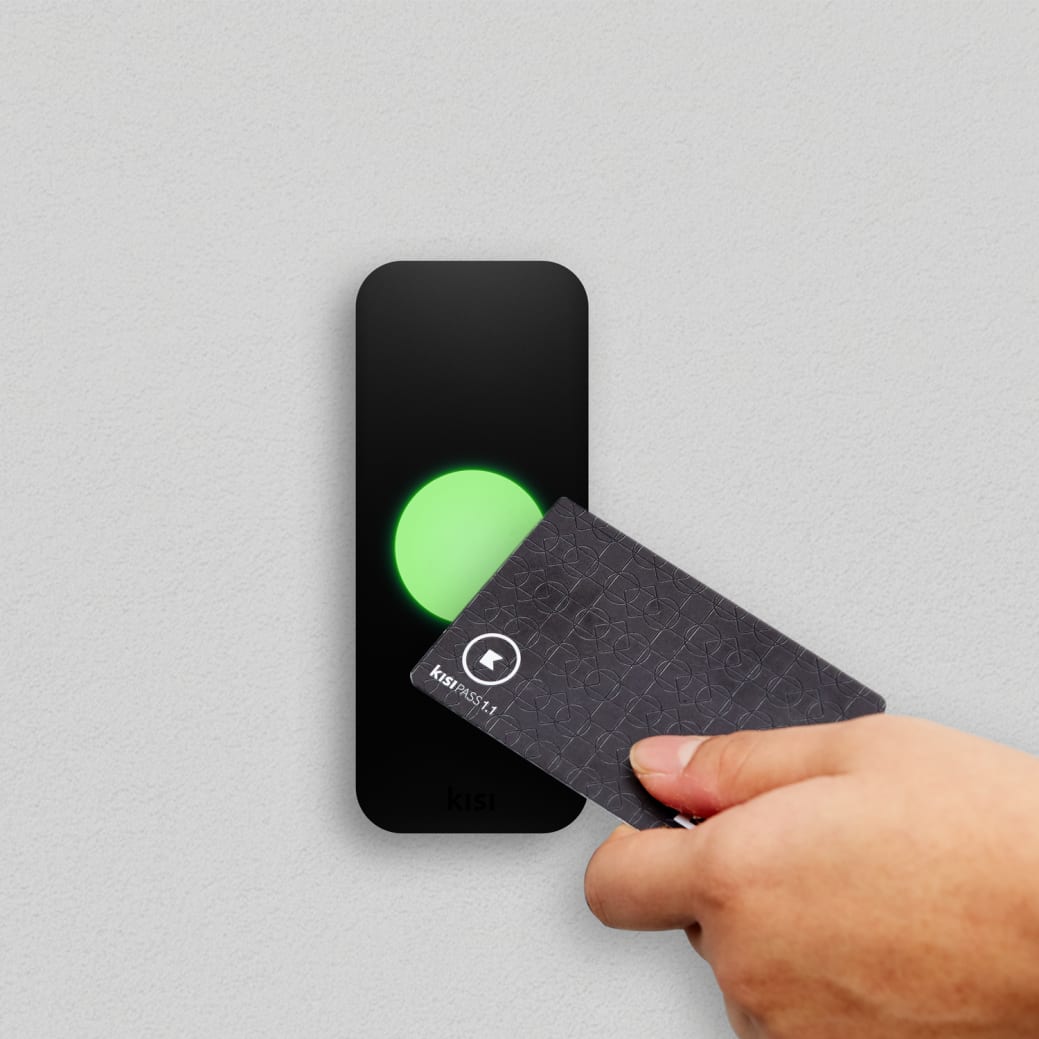
In the case of access control, RFID tags hold the credential information that, when placed near a compatible reader, will transmit the info to unlock the door.
RFID can be either active, where it has its own power source and a high range, or passive, which means it is powered by a reader and works at shorter distances. These tags can be detected from several feet away by the receiver, making them especially useful for access control in buildings with a high number of cardholders.
RFID access control systems typically operate across two frequency ranges:
- Low frequency (LF) — 125 kHz: The most common format for legacy access control cards and fobs, such as HID proximity cards. LF credentials have a short read range and offer limited encryption, making them more vulnerable to cloning.
- High frequency (HF) — 13.56 MHz: Used in more modern access cards such as MIFARE and other smart card formats. HF credentials support encryption and are significantly harder to clone than LF cards. NFC also operates at this frequency — more on that in the next section.
The information of a cardholder, object, or reader is electronically stored in the RFID cards or tags, which can contain small pieces of information such as identification numbers, prices, or codes.
Door readers use this same technology. Each RFID reader is equipped with a small antenna, which sends its own radio waves to detect any RFID tag or card within its range.
This range can vary for each reader depending upon the frequency of the radio waves it emits, anywhere from about 10 centimeters (~4") to around one meter (approximately 3.3 feet). The RFID reader decodes the info from the RFID tag and sends the signal to its host software, which either grants or denies access to the user.
RFID software for access control #
The access control software does all the heavy lifting by managing access approvals. Signals are received from each RFID reader, enabling readers to accept and deny requests to access certain facilities based on access levels or specific permissions.
Access panels, which are the parent devices that control card readers and manage access requests, allow for easy integration with RFID readers. Access control panel hardware is needed to open the lock or door, which only happens with approved access requests.
RFID technology is widely used in today's market. Because of this, readers that accept RFID credentials often work with RFID-enabled cards from many manufacturers. In access control specifically, widely used credential formats include HID proximity cards (LF) and MIFARE-based smart cards (HF), both of which are supported by most modern access control readers.
What is NFC access control #
Near field communication (NFC) technology is an evolution based on RFID that has many similarities and a few key differences. It enables data exchange between two NFC-enabled devices when they are brought close together. As mentioned in the previously, NFC operates at 13.56 MHz (the same frequency as HF RFID) making it a subset of the broader RFID family rather than a completely separate technology.
- NFC tags/cards: Similar to RFID, NFC tags/cards contain an embedded microchip and antenna. They are commonly found in smartphones, access cards, or wearable devices.
- NFC readers: NFC readers are integrated into devices like smartphones, tablets, or dedicated NFC readers.
Unlike RFID, NFC works only in extremely close proximity, at a maximum of about 4 cm (1.57 in). NFC technology is used in numerous applications, especially in cloud access control, physical access control, system security, and property security.
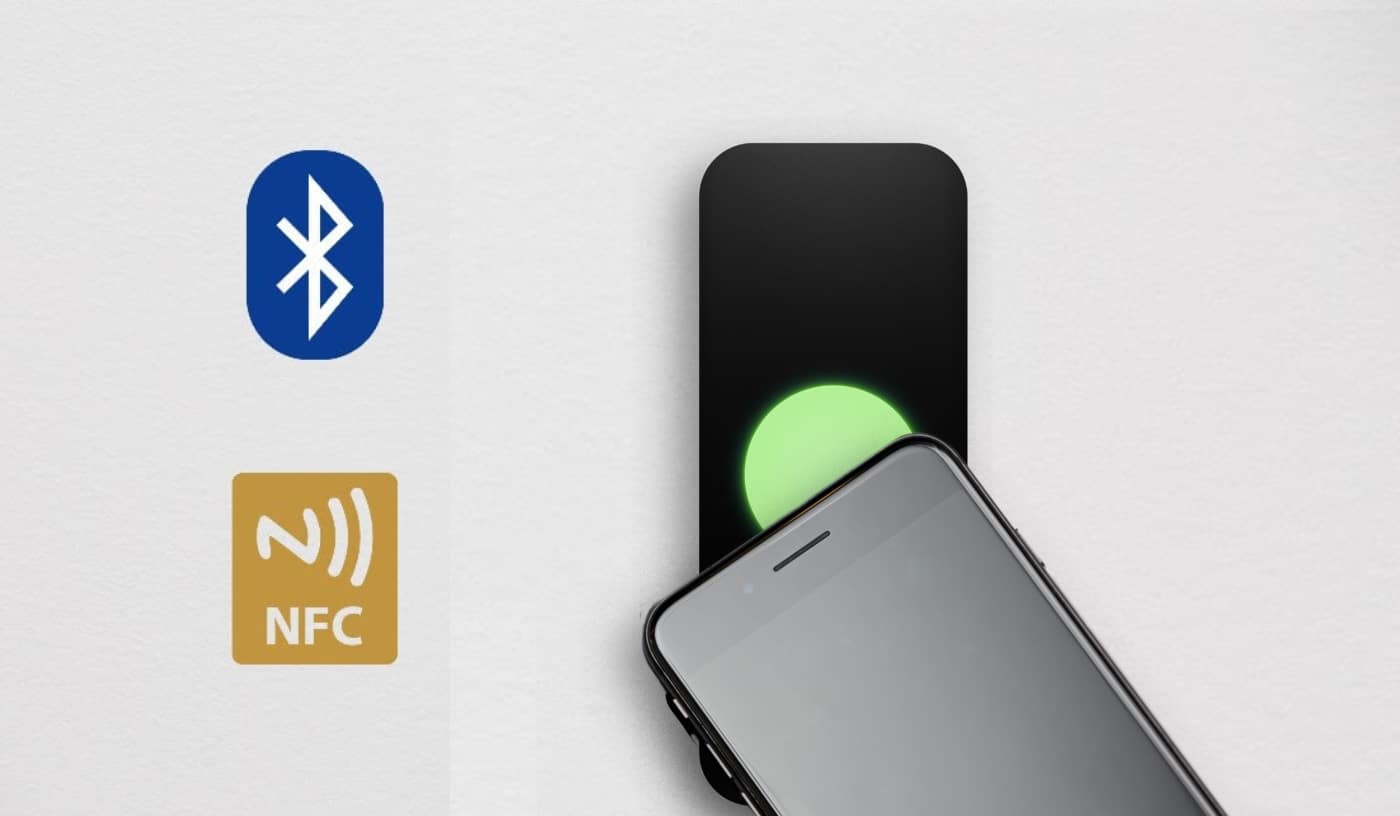
NFC door access control systems are managed through apps installed on smartphones, or natively through digital wallets like Apple Wallet and Google Wallet, which act as the key or credential for an NFC-equipped reader. When the mobile device is held near the NFC reader, a communication channel is established and data transactions take place, authenticating the permissions of the user to access the secured area, resources, or applications. If you've used Apple Pay, you've used NFC.
NFC access control is used to simplify the concept of badges, keys, or fobs. The fundamental principle of NFC technology in all applications remains the same as RFID: to allow data to be transmitted securely over short distances. Similarly to RFID, a smart card can also be used to send information to NFC-enabled devices, such as tablets, mobile phones, and laptops, or allow them to access cloud-based networks and system resources over the internet.
How NFC door readers work #
NFC door readers are used for secure access control systems that allow authorized individuals to gain entry to a building or specific areas within it. When an NFC tag or card is held near an NFC reader, it reads the information and verifies the person's identity within the connected software.
NFC access control can also record detailed access information, including:
- precise access time
- specific access point used
- length of time access was granted
In NFC access control systems, the smart card data is transmitted over the internet to a centralized location within your system to grant access to the necessary cloud computing resources or protected locations.
Modern access control software is able to record and organize the information transmitted via NFC to create more insightful access control logs. NFC door access relays the information mentioned before, including time, any user information, and the length of the event. All of this information can be compiled and organized to create informative reports that improve security and streamline audits.
Know where your security risks actually exist
Use this template to identify vulnerabilities before they become incidents.
RFID vs NFC: what's the difference? #
Both RFID and NFC use radio waves to transmit credential data wirelessly, but they differ in range, frequency, security, and how credentials are delivered. Here's a quick breakdown before we get into the pros and cons of each.
The most important distinction is that NFC is technically a subset of HF RFID since they share the same frequency. What sets NFC apart is its shorter range, its two-way communication capability, and its native integration with smartphones and digital wallets. RFID, by contrast, is a broader technology that covers multiple frequencies and longer read ranges, making it more flexible for high-throughput environments.
Advantages of RFID access control #
RFID chips are a very durable product, especially when compared to old barcode-based access methods. This means less time and money will have to be spent on replacement cards as a result of regular wear and tear.
RFID tags can also function in almost any kind of weather, which is especially helpful for outdoor readers exposed to rain, snow, and extreme temperatures. Also, because of their popularity, RFID tags are an extremely reliable format for security and compatibility purposes.
RFID is also well suited to high-volume environments, because LF RFID credentials can be read at greater distances than NFC and they allow for faster throughput at busy entry points. This means they are a practical choice for parking garages, large office buildings, or any space where speed of entry matters.
Disadvantages of RFID access control #
Although it has many benefits, RFID isn't a completely perfect access control solution.
There are distinct security issues with RFID cards, as any technology that can create a signal has the potential to be hacked. This is particularly true for legacy low-frequency (LF) credentials, which lack encryption and are more exposed to the vulnerabilities described below.
For example, there is a possibility that someone with an RFID reader could access the information embedded on each card. An RFID tag doesn't choose when it's actively transmitting the electronic data it holds, and it can't discern between a legitimate and an illegitimate reader.
Additionally, RFID cards are prone to electromagnetic interference, which can come from other RFID cards or any other magnetized device. This means that they can easily be jammed or lose their ability to transmit information.
These cards are also easily cloned if their information is stolen. For example, if someone has a handheld device that can read the broadcast signals, they can clone this information to a new card using a transponder.
Advantages of NFC access control #
NFC shares many of the benefits of RFID, with key differences that make it ideal from a usability and security standpoint. The reduced activation range makes duping or hacking credentials much more difficult, and the ability to use your smartphone as your access key is great from a user perspective.
The availability of smartphone-based NFC credentials cuts down on the overhead costs of activating and maintaining an access control solution. Instead of provisioning new keycards for every new hire and old or lost cards, users can simply bring their own device to use as a credential. With digital wallets like Apple Wallet and Google Wallet now supporting access credentials natively, employees don't even need a dedicated app. They can unlock doors the same way they'd pay for a coffee.
Smartphone credentials increase your security posture as well. Smartphones require some version of an unlock or authentication to occur before they will activate NFC data transmission. Where RFID can be triggered remotely by a reader, NFC data transfers must be prompted device-side.
Because NFC technology is so ubiquitous and has low-maintenance energy requirements, it's the perfect medium for incorporating cloud-based access control on a large scale without redesigning and re-configuring an entire location. This key feature saves administrators and building owners time, energy, and money in the long run, while minimizing the administrative resources needed to run an effective access control system. NFC also doesn't lose effectiveness due to signal or magnetic interference.
Disadvantages of NFC access control #
If you are thinking that NFC is clearly a better solution than RFID, it's important to remember that NFC cannot work for smart cards and readers that are more than a few inches apart.
If you run a busy, high-volume space, this can be a challenge when you just want to get as many people through the door as possible. In this case, RFID can be the preferable option.
NFC access control also depends on the user having a compatible device. While NFC is now standard on virtually all modern smartphones, organizations with diverse user groups (visitors, contractors, or staff using older devices) may still need to provision physical cards as a backup.
Finally, transitioning from a legacy RFID system to NFC-based mobile credentials isn't always a one-step process. Depending on your existing hardware, reader upgrades may be required to support modern NFC credential formats and digital wallet integrations.

NFC and mobile access today #
The way people use NFC for access control has changed significantly in recent years. It's no longer just about tapping a plastic card against a reader, because smartphones and wearables have become the primary credential for a growing number of organizations.
Most modern smartphones, both iOS and Android, now come with NFC built in as standard. This means employees can use their phone exactly as they would a keycard and tap it against a reader to unlock a door. The bigger shift is the move toward digital wallets with solutions like Apple Wallet, so now employees can store their access credentials natively on their iPhone or Apple Watch and unlock doors without even opening an app. If the phone battery runs out, Power Reserve keeps the credential active for up to five hours.
Alongside this, Bluetooth Low Energy (BLE) plays a supporting role in modern mobile access by enabling longer-range communication between a phone and a reader, which is useful for hands-free or walk-up unlock scenarios. Most mobile access systems today use a combination of NFC and BLE depending on the unlock method.
The broader industry is also moving toward standardization. In February 2026, the Connectivity Standards Alliance (the same organization behind the Matter smart home standard) released Aliro 1.0, an open credential standard backed by Apple, Google, and Samsung. Aliro is designed to make digital wallet-based access interoperable across platforms and vendors, reducing the fragmentation that has historically slowed mobile credential adoption in enterprise access control.
For most organizations, the transition isn't all-or-nothing. Physical RFID and NFC cards remain common for visitors, temporary staff, and legacy environments, while mobile credentials handle day-to-day access for employees. The two approaches work alongside each other rather than replacing one another.

Modern access starts with choice
Give users more ways to unlock while keeping management simple.
RFID or NFC: which should you choose? #
There's no universal right answer here, because the best choice depends on your environment, your users, and your existing infrastructure. That said, there are some clear patterns that can guide the decision.
Choose RFID if:
- You run a high-volume entry point where speed and read range matter such as parking garages, large office buildings, or warehouses where people need to move through quickly
- You have a legacy system already in place and aren't ready to replace existing readers or credentials
- Your users include a mix of people who may not have compatible smartphones like contractors, visitors, or temporary staff
- You operate in an outdoor or high-traffic environment where durability and weather resistance are priorities
Choose NFC if:
- You're building a modern, mobile-first access control system from the ground up
- You want to eliminate the overhead of managing physical cards such as issuing, replacing, and deactivating them
- Security is a top priority and you want credentials that require device-side authentication before transmitting
- You want to take advantage of digital wallet integrations like Apple Wallet, where employees can use their iPhone or Apple Watch to unlock doors without an app or a physical card
Choose both if:
- You're in the middle of a migration from legacy RFID to a modern cloud-based system and need to support both credential types during the transition
- You have a mixed user base like mobile credentials for employees, physical cards for visitors and temporary staff
- You want the flexibility to let users choose their preferred unlock method without compromising security
The hybrid approach is increasingly common. Most modern access control systems support both RFID and NFC credentials simultaneously, so you don't have to make a permanent either/or decision. You can start with what works for your organization today and expand or transition as your needs evolve.

Conclusion #
While there is no right or wrong answer to the RFID vs NFC debate, any space with an access control system could easily benefit from either RFID or NFC.
Choosing the best option can be difficult, but it's imperative that you consider all of the benefits and drawbacks in the context of your organization's needs. Whether you care about security, ease of use, or accessibility, choosing between RFID and NFC access control systems is hard, but necessary.
Kisi supports both RFID and NFC credentials natively, giving you the flexibility to work with your existing infrastructure or move toward a fully mobile access experience, or both at the same time. From legacy HID cards and MIFARE fobs to Employee badges in Apple Wallet and contactless MotionSense unlocks, Kisi's Reader Pro 2 supports eight different credential types so you're never locked into a single approach.
In a classic "best of both worlds" scenario, Kisi lets you run RFID and NFC credentials side by side, letting you choose the option that works best for you now with the possibility to change later. Or you can even have a mixed-use solution depending on time or user.
If you need help deciding which access control system is best for your business, Kisi is here to help. Our team of security experts has helped thousands of companies worldwide choose and implement cloud-based access control. They will suggest what access control products you'll need based on the number of doors you want secured and your current access control setup (if any). After the complimentary consultation, our team can give you a quote based on your access control needs.